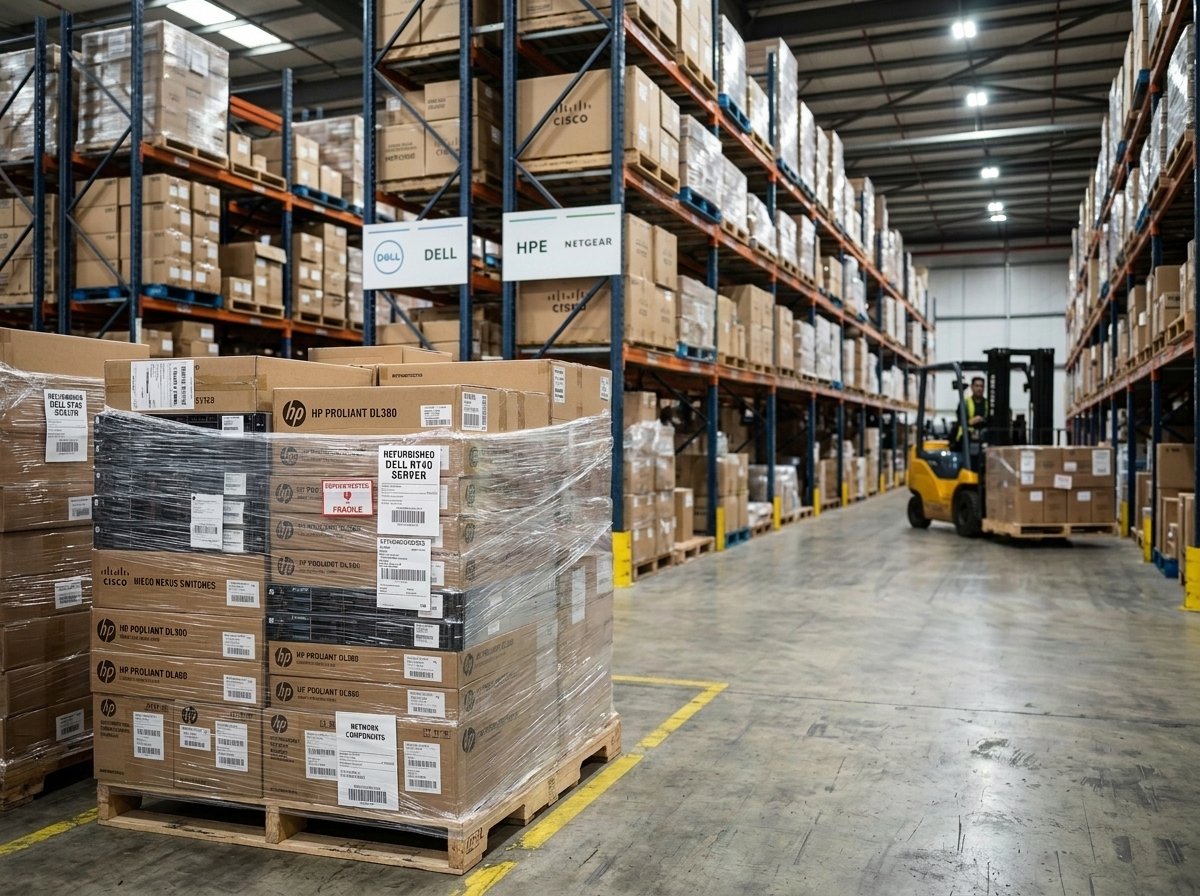
Buying IT hardware for a business rarely feels straightforward. One department wants faster processing, another wants more storage, and IT is stuck trying to make a budget stretch across servers, switches, and workstations that all seem to need replacing at once. A solid IT hardware guide should cut through that noise and explain what actually matters when you’re building or upgrading a company’s technology backbone.
This piece covers the core categories of business IT hardware, how they work together, and what to weigh when sourcing equipment for a growing organization. Whether you’re managing a five-person office network or overseeing enterprise hardware across multiple sites, the fundamentals stay the same, even if the scale changes dramatically.
What Counts as IT Hardware Today
IT hardware equipment covers a wider range than most people assume. It’s not just the laptop on your desk. It includes servers running in a data center, the switches routing traffic between departments, the storage arrays holding years of customer records, and the specialized processors handling everything from spreadsheets to machine learning workloads.
Modern computer hardware components fall into a few broad buckets: compute (CPUs, GPUs), storage (HDDs, SSDs, NAS, SAN), networking (routers, switches, firewalls), and peripherals (monitors, input devices, docking stations). Each category has its own lifecycle, its own failure points, and its own upgrade cadence. A CPU might stay relevant for five or six years. A network switch handling gigabit traffic might need replacing much sooner if your bandwidth needs triple.
Understanding these categories separately, rather than treating “IT hardware” as one lump purchase, makes budgeting and planning a lot less painful.
Servers: The Backbone of Business Operations
Servers do the heavy lifting most employees never think about. They host applications, manage databases, run virtual machines, and often serve as the central point for backups and disaster recovery. A single underpowered server can bottleneck an entire office, even when every individual workstation is fast.
Businesses generally choose between three server form factors: tower, rack, and blade. Tower servers work fine for small offices with minimal cooling and space constraints. Rack servers dominate in data centers because they stack efficiently and support higher density. Blade servers push density even further, sharing power and cooling infrastructure across multiple units, which suits larger enterprises running dozens of workloads simultaneously.
Brands like Dell, HPE, Lenovo, and Cisco each have strengths. Dell’s PowerEdge line is known for flexibility across workloads. HPE’s ProLiant servers have a strong reputation for reliability in mixed-use environments. Lenovo tends to compete well on price without sacrificing much on performance. None of them is universally “best” – the right choice depends on your existing infrastructure, support contracts, and what your IT team already knows how to manage.
Storage Solutions: Keeping Data Accessible and Safe
Storage decisions get complicated fast because businesses need different things from their data. Some information needs to be instantly accessible. Other data just needs to sit somewhere safe for compliance reasons. Solid-state drives handle the first case well, offering speed that spinning hard drives simply can’t match. For bulk archival storage where speed matters less, traditional HDDs still make financial sense.
Beyond individual drives, most businesses eventually adopt either Network Attached Storage (NAS) or a Storage Area Network (SAN). NAS works well for smaller teams needing shared file access. SAN setups suit larger organizations running multiple servers that all need fast, centralized storage access, particularly in virtualized environments.
A practical note worth mentioning: redundancy matters more than raw capacity. A RAID configuration that protects against drive failure is often more valuable than squeezing out an extra terabyte of space. Plenty of businesses have learned this the hard way after a single drive failure took down operations for days.
Networking Equipment: Routers, Switches, and Firewalls
Networking hardware is the part of IT infrastructure that’s invisible until it breaks. Routers direct traffic between networks, switches connect devices within a network, and firewalls filter what’s allowed in and out. Get any of these wrong, and everything from video calls to point-of-sale systems starts lagging or failing outright.
Cisco remains the most recognized name in enterprise networking, particularly for switches and routers, though Juniper, Arista, and HPE all compete seriously in this space. For growing businesses, the real question usually isn’t which brand to buy but whether current infrastructure can handle projected growth. A switch that works fine for 50 users starts struggling at 200, especially once video conferencing and cloud applications eat into available bandwidth.
Network security appliances deserve a mention here too. Firewalls have evolved well beyond simple packet filtering; many now include intrusion detection, VPN support, and content filtering built into a single device. That consolidation can simplify management, though it also means one device failure has a bigger blast radius.
CPUs and GPUs: Matching Processing Power to the Job
Here’s where a lot of businesses overspend or underspend without realizing it. CPUs handle general-purpose computing – everything from running an operating system to processing database queries. GPUs, originally built for rendering graphics, have become essential for parallel processing tasks like AI training, video editing, and certain scientific computations.
For most office workloads, a solid mid-range CPU is more than enough. Intel Xeon and AMD EPYC dominate the server CPU market, with EPYC often offering more cores per dollar and Xeon holding an edge in certain single-threaded applications. On the desktop side, AMD Ryzen processors have gained serious ground against Intel in both performance and price over the past several years.
When a Business Actually Needs a GPU
Not every business needs GPU horsepower, and that’s worth saying plainly because vendors don’t always volunteer it. If your workloads involve machine learning, 3D rendering, video production, or large-scale data visualization, a dedicated GPU changes what’s possible. NVIDIA’s professional-grade cards, like the RTX PRO series, handle these workloads with more stability and driver support than consumer gaming cards, even though the consumer cards sometimes look attractive on paper for raw specs.
For everyday business computing, though, spending on a high-end GPU is usually money better spent elsewhere.
New vs. Refurbished IT Hardware: A Practical Comparison
Refurbished IT hardware equipment has become a legitimate option for businesses watching costs, not just a fallback for cash-strapped startups. Certified refurbished servers, switches, and processors go through testing that catches most reliability issues before resale.
| Factor | New Hardware | Refurbished Hardware |
|---|---|---|
| Upfront cost | Higher | 30-60% lower typically |
| Warranty | Full manufacturer warranty | Often 1-3 years from reseller |
| Availability | Subject to lead times | Usually in stock |
| Latest features | Yes | Limited to prior generations |
| Environmental impact | Higher | Lower, extends hardware lifecycle |
Refurbished equipment makes the most sense for infrastructure that doesn’t need bleeding-edge specs, like backup servers, secondary storage, or networking gear for smaller branch offices. It makes less sense for primary production systems running mission-critical, latency-sensitive applications.
The Supply Chain Question Most IT Teams Overlook
Sourcing hardware reliably is its own challenge, especially for businesses that scaled quickly or expanded across multiple locations. An enterprise IT hardware supply strategy needs more than one vendor relationship. Component shortages, shipping delays, and price fluctuations have all disrupted hardware availability in recent years, and businesses that relied on a single supplier felt that pain more sharply.
Working with vendors who stock both new and certified refurbished inventory gives more flexibility when budgets tighten or when a specific model becomes hard to find. It also helps to build relationships with suppliers who understand enterprise-grade equipment rather than general electronics retailers, since compatibility and warranty support tend to be stronger with specialists.
Common Mistakes When Buying Business IT Hardware
A few patterns show up again and again. Businesses buy servers sized for current needs without any headroom for growth, then find themselves upgrading again within eighteen months. They underestimate networking capacity while overspending on individual workstations. They skip proper storage redundancy to save a few hundred dollars, then face far higher costs recovering from a drive failure.
The businesses that get IT hardware purchasing right tend to plan in three-year cycles rather than reactive, one-off purchases. They also involve IT staff early in budget conversations rather than treating hardware as a line item decided by finance alone.
Frequently Asked Questions
What’s the difference between IT hardware and IT infrastructure?
IT hardware refers to physical equipment like servers, storage devices, and networking gear. IT infrastructure is broader, including software, network architecture, and the policies governing how hardware and systems work together.
How often should a business replace its servers?
Most businesses replace servers every four to six years, though this depends heavily on workload demands and whether the hardware still receives manufacturer support and security updates.
Is refurbished server hardware reliable for production use?
Certified refurbished hardware from reputable sellers can be reliable, particularly for non-critical workloads. For primary production systems, many businesses still prefer new hardware or a hybrid approach.
Do small businesses need enterprise-grade networking equipment?
Not always. Enterprise-grade gear makes sense once a business has multiple locations, heavy bandwidth demands, or strict security compliance requirements. Smaller offices often do fine with business-class equipment one tier below full enterprise hardware.
What should a company prioritize first when upgrading IT hardware equipment?
Networking and storage tend to have the biggest impact on daily performance, since bottlenecks there affect every user simultaneously, more so than individual workstation upgrades.